Key Takeaways
Choose resources based on your website size, website traffic, and technical requirements.
Select managed or unmanaged hosting according to your experience level.
Focus on CPU, RAM, storage capacity, and bandwidth rather than marketing claims.
Choose a server location close to your target audience whenever possible.
Look for strong uptime commitments and reliable infrastructure.
Make scalability a priority if you expect future growth.
Review backup and security features before making a decision.
Compare the overall value of a plan, not just the monthly price.
A VPS hosting plan sounds simple: pick one, pay for it, and get your website running. But the decision is rarely that easy.
Many website owners choose a plan based on price alone, only to run into slow performance, resource limitations, or another hosting upgrade sooner than expected. Others end up paying for resources their websites never fully use.
The challenge is not finding a VPS hosting plan. It is finding one that matches your current requirements while leaving room for future growth. This guide explains what to look for, what to avoid, and how to choose a plan that fits both your website and your budget.
Signs You Need a VPS Hosting Upgrade
Many website owners move to VPS Hosting after experiencing performance issues. The challenge is that these problems often develop gradually, making them easy to overlook until they start affecting visitors and business operations.
Some common signs that it may be time for a hosting upgrade include:
Slow website performance during busy periods.
Frequent downtime affecting website availability.
Traffic spikes causing pages to load slowly.
Server overload warnings from your hosting provider.
Resource limitation issues related to CPU, RAM, or bandwidth.
Growing business needs that require greater server control.
If several of these issues are becoming regular occurrences, VPS hosting may be the next logical step.
What is a VPS Hosting Plan?
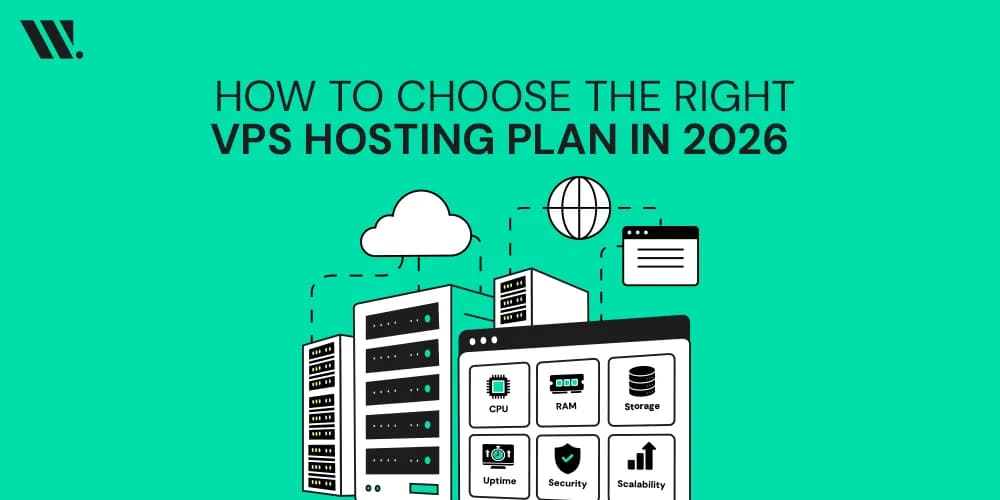
A VPS hosting plan is the package of resources and services assigned to your virtual server. The resources included in a plan directly affect website performance, website reliability, user experience, and your ability to handle future traffic growth.
The table below shows the main components included in most VPS hosting plans.
Component | Purpose |
CPU | Processes website requests and applications |
RAM | Supports website operations and multitasking |
Storage Capacity | Stores website files, databases, and emails |
Bandwidth | Handles visitor data transfer |
Operating System | Determines the server environment |
Security Features | Helps protect website data |
Backup Options | Supports recovery after unexpected issues |
Technical Support | Provides assistance when needed |
Understanding these components makes VPS hosting plan comparisons much easier because you can focus on the resources that directly affect your website.
How Should You Choose the Right VPS Hosting Plan
Choosing the right VPS hosting provider is not about selecting the largest package available. The goal is to match server resources with your current requirements while preparing for future growth.

1. Determine Your Management Type
The first decision is whether you need a managed or unmanaged VPS.
Managed VPS hosting includes server maintenance, updates, monitoring, and technical support from the hosting provider. Unmanaged VPS hosting gives you complete responsibility for server administration.
Option | Best For |
Managed VPS | Businesses, online stores, agencies, and beginners |
Unmanaged VPS | Developers, system administrators, and advanced users |
For most website owners, managed hosting is the better choice because it reduces technical responsibilities and allows you to focus on running your website.
2. Assess Required Resources
Resource planning is one of the most important parts of choosing a VPS hosting plan. Your server should comfortably support current usage while allowing room for future growth.
When evaluating VPS server requirements, consider:
Current website traffic levels.
Expected traffic growth.
Number of websites hosted.
Database usage.
Application requirements.
Storage needs.
Email hosting requirements.
Choosing resources based on actual requirements helps avoid both performance problems and unnecessary expenses.
3. Choose the Operating System
Most hosting plans offer Linux and Windows operating systems. The right choice depends on the applications and software your website uses.
The table below provides a simple comparison.
Operating System | Common Uses |
Linux VPS | WordPress, PHP applications, and ecommerce platforms |
Windows VPS | ASP.NET applications and Microsoft-based software |
Linux remains the preferred option for most websites because it supports a wide range of applications and typically requires fewer resources.
4. Prioritize Reliability and Server Location
Server location plays an important role in website performance and page load speed. Hosting your website closer to your audience can reduce latency and improve visitor experience.
When comparing providers, look beyond location and also review:
Data center quality.
Network infrastructure.
Redundancy measures.
Monitoring systems.
Historical uptime performance.
Website reliability should always be one of the most important factors in your decision.
5. Check for Scalability
Your hosting needs today may look very different a year from now. As traffic increases, your website will need additional resources to maintain performance.
Traffic Growth can happen because of:
Marketing campaigns.
Seasonal demand.
Product launches.
New services.
Business expansion.
I recommend choosing a provider with a clear hosting upgrade path so you can increase resources without a complicated VPS migration process.
6. Evaluate Security and Backup Features
Security should be a standard part of every VPS hosting buying guide.
A strong VPS environment typically includes:
Firewall protection.
Malware monitoring.
DDoS mitigation.
Access controls.
Security updates.
Automated backups.
A reliable backup strategy is equally important. Before choosing a plan, understand how backups are created, where they are stored, and how quickly they can be restored when needed.
7. Compare Uptime and Network Performance
Uptime measures how often your website remains available to visitors. Even short periods of downtime can affect user experience, SEO performance, and conversion rate.
When comparing providers, review:
Uptime commitments.
Infrastructure quality.
Network performance.
Monitoring capabilities.
Support response times.
A provider with strong uptime records often delivers better long-term value than a lower-cost alternative with weaker infrastructure.
8. Compare Pricing Models
Price matters, but value matters more. Some lower-cost plans may exclude important features such as backups, security tools, control panels, technical support, or migration assistance. Looking only at the monthly fee can create an inaccurate comparison.
When reviewing hosting plans comparison options, focus on the complete package rather than the advertised starting price.
Cloud VPS vs Traditional VPS
Many website owners compare what is cloud VPS and traditional VPS before making a final decision. Both options offer strong performance, but they support different requirements.
Feature | Cloud VPS | Traditional VPS |
Scalability | High | Moderate |
Resource Flexibility | Dynamic | Fixed |
Availability | Very High | High |
Traffic Handling | Excellent | Good |
Growth Support | Excellent | Good |
If your website experiences changing traffic patterns or rapid growth, cloud VPS often provides greater flexibility. For websites with predictable workloads and stable traffic, traditional VPS may be a simpler solution.
VPS Hosting Plan Selection Checklist

Before making a final decision, review the basics. Confirm that the plan provides enough CPU, RAM, storage, and bandwidth for your current traffic levels while leaving room for future growth. Check that the operating system supports your applications, the server location suits your audience, and the provider offers reliable uptime, security features, and backup options. It is also worth reviewing upgrade flexibility and support availability so your hosting can continue meeting your needs as your website grows.
Common Mistakes to Avoid When Buying VPS Hosting
Choosing a hosting plan becomes easier when you know what mistakes to avoid. Many website owners focus on specifications alone and overlook factors that have a bigger impact on long-term performance.
Some of the most common mistakes include:
Choosing a plan based only on price.
Buying more resources than necessary.
Ignoring future scalability needs.
Overlooking backup and security features.
Selecting a server location far from the target audience.
Not reviewing support availability before purchasing.
Avoiding these mistakes can save time, money, and unnecessary migration work later.
Final Thoughts
The best VPS hosting plan is not necessarily the biggest or most expensive one. It is the plan that matches your website size, traffic, technical requirements, and growth expectations.
By evaluating resources, reliability, scalability, security, and support before making a decision, you can choose a hosting solution that supports better website performance, stronger reliability, and long-term business scalability.
If you are still weighing different options, a little guidance can make the process easier. At Websouls, we help website owners understand their hosting choices and find solutions that fit their actual needs. Feel free to contact us!
FAQs for Choosing the Right VPS Hosting Plan
1. How much VPS hosting do I need for a small website?
A small website usually works well with 1-2 CPU cores, 2GB RAM, and basic SSD storage, depending on traffic and content type.
2. Can VPS hosting improve SEO performance?
Yes. Faster loading speed and better uptime from VPS hosting can improve user experience signals that indirectly support SEO performance.
3. Is VPS hosting good for WordPress websites?
Yes. WordPress runs more efficiently on a VPS because of dedicated resources, especially for websites with plugins, traffic, or ecommerce features.
4. What is the difference between VPS hosting and cloud hosting?
VPS hosting uses fixed allocated resources on one server, while cloud hosting distributes resources across multiple servers for higher flexibility and uptime.
5. Can I upgrade my VPS plan later without downtime?
Yes, with Websouls, you can upgrade your plan anytime, but short downtime may occur depending on how the hosting infrastructure handles resource scaling.
6. What happens if I exceed my VPS resources?
Your website may slow down, show errors, or become temporarily unavailable until you upgrade or optimize resource usage.