Key Takeaways
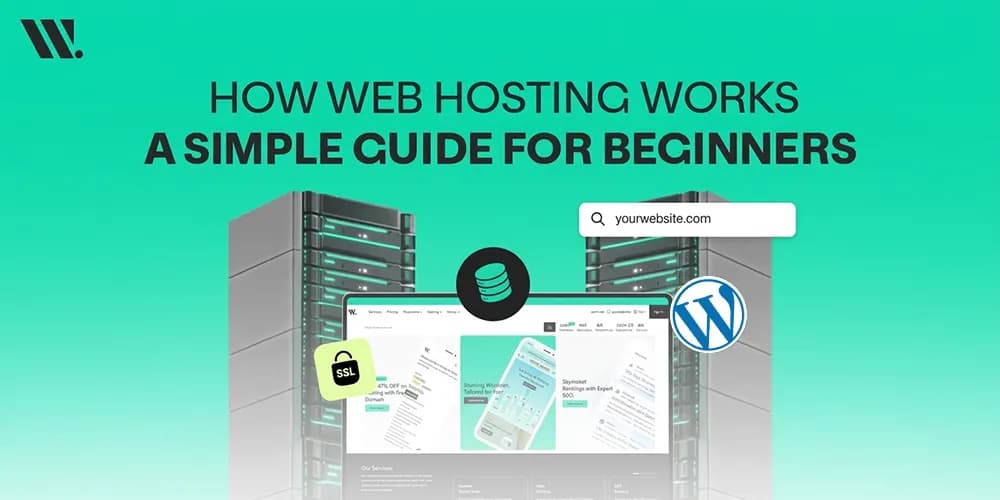
Web hosting stores your website files on a connected server
A domain name helps visitors find your website easily
The Domain Name System connects domains with hosting servers
Web servers like Apache HTTP Server and NGINX process website requests
SSL certificates protect visitor data and improve website security
WordPress and MySQL work together to create dynamic websites
Different hosting types fit different traffic levels and budgets
Good hosting affects website speed, uptime, and user experience
In 2026, there are more than 1.4 billion websites on the internet today, and every one of them needs a place to stay online. Behind every website is a hosting server storing files, processing requests, and sending pages to visitors within seconds.
And somehow all of this happens before your coffee cools down.
Here is where many beginners get stuck. You buy a domain name, install WordPress, and suddenly someone tells you that you also need “hosting.” What even is hosting? Why is it separate? Why does it cost money every month? Then come terms like DNS, SSL, databases, backups, and server management, and things start feeling more technical than expected.
My guide fixes that. Whether you are setting up your first website or you just want to understand what is actually happening behind when someone visits a page, this is for you.
What is Web Hosting?
A website is made up of files. These files include images, text, videos, design files, code, and databases. Those files need a place where they can stay online permanently.
That place is called a hosting server.
A hosting provider gives you space on a server connected to the internet 24/7. When someone visits your website, the server sends your website files to their browser so the page can load properly.
This process is the foundation of internet hosting services. Without hosting, websites cannot stay available online.
How Website Hosting Works
Understanding how website hosting works becomes easier when you break the process into small steps.

1. You Register a Domain Name
Your domain name is the address people type into a browser, like yourwebsite.com.
Computers do not actually use names to communicate online. They use numerical IP addresses. The Domain Name System converts domain names into server IP addresses so browsers can locate the correct website server hosting environment. This process happens automatically in seconds.
2. Your Website Files are Stored on a Hosting Server
Once hosting is active, your website files are uploaded to the server.
These files can include:
Website Files | Examples |
Frontend Files | HTML, CSS, JavaScript |
Media Files | Images, videos, PDFs |
Database Content | Blog posts, users, products |
CMS Files | WordPress themes and plugins |
Server Data | Emails, logs, backups |
Many hosting providers also include cPanel, which helps users manage files, emails, databases, and security settings from one dashboard.
How Your Domain Name Connects to Your Hosting Server

This part trips people up more than anything else. A domain name (like yourwebsite.com) and web hosting are two different things purchased from two different places. So how does one connect to the other?
The answer is the Domain Name System, or DNS. Consider DNS like the Internet's phone book. When someone types your domain into a browser, DNS looks up which server that domain is pointing to and then sends the request there.
The way you connect your domain to your hosting is through something called nameservers. Your hosting provider gives you a pair of nameserver addresses (they look like ns1.yourhostingcompany.com). You go into your domain registrar's settings and enter those nameservers. From that point on, anyone who visits your domain gets routed to your hosting server automatically.
DNS changes can take anywhere from a few minutes to 48 hours to spread across the internet. This is called DNS propagation; it is normal, it is not a bug, and it just means the update is working its way through the global network of DNS servers.
Term | What It Means |
Domain Name | The web address people type in (e.g., yoursite.com) |
Nameservers | DNS settings that point your domain to your hosting |
DNS Propagation | The time it takes for nameserver changes to go global |
IP Address | The actual numeric location of your hosting server |
What Happens When Someone Visits Your Website
This entire process sounds complex at first, but it happens extremely fast behind the scenes.
When someone enters your domain into a browser:
DNS finds the connected server IP
The browser sends a request to the server
Apache HTTP Server or NGINX processes the request
The website database loads content if needed
Files are sent back to the browser
The page appears on the visitor’s screen
This communication works through the Hypertext Transfer Protocol, also called HTTP.
If the website uses HTTPS, Secure Sockets Layer encryption protects the connection between the visitor and the server.
That small padlock icon in the browser is actually doing a lot more work than most people realize.
The Role of Web Server Software: Apache and NGINX
You do not need to install or manage these yourself in most cases; your hosting provider handles it. But knowing what they do helps you understand the difference between hosting plans and why performance matters.
Apache HTTP Server has been around since 1995 and is one of the most widely used web server programs in the world. (Apache Software Foundation) It handles incoming HTTP requests, figures out what files to return, and supports a huge range of website configurations. It is flexible, well-documented, and works with almost every web technology.
NGINX (pronounced "engine-ex") came along later and was specifically built to handle massive amounts of simultaneous traffic more efficiently. (NGINX Documentation) Many high-traffic websites use NGINX either as their main web server or as a reverse proxy sitting in front of Apache. On shared hosting plans, you often do not get to choose between them; the provider picks one. On VPS and dedicated servers, you have more control.
Types of Web Hosting: Which One Do You Actually Need
This is the decision most beginners struggle with. Here is a simple explanation of the main types, without the sales talk.
Before getting into the options, understand this: the difference between hosting types mostly comes down to how much of a server's resources you are sharing with other websites, and how much control you have over the environment.
Shared Hosting puts your website on a server alongside many other websites, sometimes hundreds. You all share the same CPU, RAM, and storage. It is the cheapest option and perfectly fine for small websites, blogs, or new businesses with low traffic. The downside is that if another site on your server gets a spike in traffic, it can slow yours down too.
VPS Hosting (Virtual Private Server) gives you a slice of a server that is partitioned off just for you. Even though you are still on a shared physical machine, your resources are dedicated. You get more control, better performance, and the ability to configure your environment. It is a step up that suits growing businesses well.
Dedicated Hosting means the entire physical server belongs to you. No sharing at all. This is used by high-traffic websites, large businesses, or anyone who needs maximum performance, security, or custom server configurations.
Cloud Hosting spreads your website across multiple servers in a network. If one server has an issue, another picks up the load. This is where cloud computing has changed web hosting significantly; instead of one server that can fail, you get a distributed system that scales automatically with your traffic.
How WordPress Fits Into Hosting
WordPress is currently one of the most widely used website platforms in the world.
It runs on top of your hosting environment and works with MySQL databases to store website content like pages, blog posts, products, and user accounts.
When someone visits a WordPress website, the hosting server processes PHP files, connects with the database, and builds the page dynamically before sending it to the browser. This entire process usually takes less than a second.
Common Hosting Mistakes Beginners Make

Many beginners choose hosting only based on low pricing. That usually creates problems later.
Here are some common mistakes:
Choosing hosting without backups
Ignoring uptime guarantees
Buying unnecessarily large plans
Skipping SSL certificates
Using outdated software
Not checking support quality
A cheap hosting plan may save money at first, but create bigger problems later through downtime and slow speed.
Why Good Hosting Matters
Many people only focus on website design and forget how important hosting server management really is.
Poor hosting can cause:
Slow loading speeds
Frequent downtime
Security risks
Failed backups
Traffic crashes
Good hosting improves stability, speed, security, and overall user experience. It also helps websites perform better in search results because search engines prefer fast and stable websites.
Common Hosting Terms You Will Come Across
The hosting industry uses many technical words. Here is a quick reference for the terms that come up most often when you are shopping for a plan or fixing an issue.
Bandwidth is the amount of data that can be transferred between your server and visitors within a given period. A busy website with lots of images and videos will use more bandwidth. Many hosting plans now advertise "unlimited" bandwidth, but always read the fair-use terms.
Storage refers to the disk space available for your website files, databases, and emails on the hosting server.
Uptime is the percentage of time your website is accessible. The higher, the better.
IP Address is the numerical address of your server on the Internet. Shared hosting usually means a shared IP; dedicated and VPS plans typically give you a dedicated one.
CDN (Content Delivery Network) is a network of servers spread across multiple locations that cache your website's static files (images, CSS, scripts) and serve them from whichever server is geographically closest to the visitor. This speeds up load times significantly for a global audience.
PHP is the programming language that WordPress and many other web platforms run on. Your hosting server needs to support the right version of PHP for your software to work.
Final Thoughts
Web hosting is simply a system that keeps your website online. The domain connects users to your server, the server delivers files, and everything works together in seconds.
Once this structure is clear, website management becomes easier to understand.
If you are still unsure which hosting type suits your situation, or you are trying to figure out why your current setup is slow, insecure, or costing more than it should, at Websouls, we can help you figure it out. No pitch, no pressure, just a simple conversation about what fits your specific website.
FAQs for How Web Hosting Works
Q: Can I host a website without a domain name?
Technically, yes, every hosting server has an IP address you can access directly in a browser. But for any website, you need a domain. Without one, visitors have no practical way to find you, and search engines cannot index your site properly either.
Q: What happens to my website if my hosting provider has an outage?
If the server your site lives on goes down, your website becomes unreachable until it is restored. This is why uptime guarantees matter, and why larger businesses often use cloud hosting or a CDN, which spreads the load across multiple servers so a single failure does not take the whole site offline.
Q: Is web hosting the same as a website builder?
No. A website builder is a tool for designing and building your site. Web hosting is the infrastructure that keeps it live on the internet. A few Websouls bundles both, but they are two separate things, and with many hosting providers, you choose and build your site separately.
Q: How much storage does a typical website actually need?
A basic website, a few pages, a contact form, and some images will comfortably sit under 1GB. A content-heavy blog might use 3-5GB over time. An e-commerce store with hundreds of product images and videos can go well beyond that. Most shared hosting plans offer far more storage than a new site will use, so it rarely needs to be the deciding factor at the start.
Q: Do I lose my website files if I stop paying for hosting?
Yes. Hosting is a rental. If you stop paying, the hosting provider will eventually suspend your account and delete the files. Most providers give a grace period and send warnings before this happens, but always keep your own local backup of your website files and database; do not rely on the host being the only copy.
Q: Can I switch hosting providers without losing my website?
Yes, and people do it all the time. You copy your files and database to the new host, set up the environment there, and once everything is working, you update your nameservers to point to the new host. During DNS propagation, both servers may briefly receive traffic, but your site stays live throughout. A good host will walk you through this process or handle the migration for you.