Key Takeaways
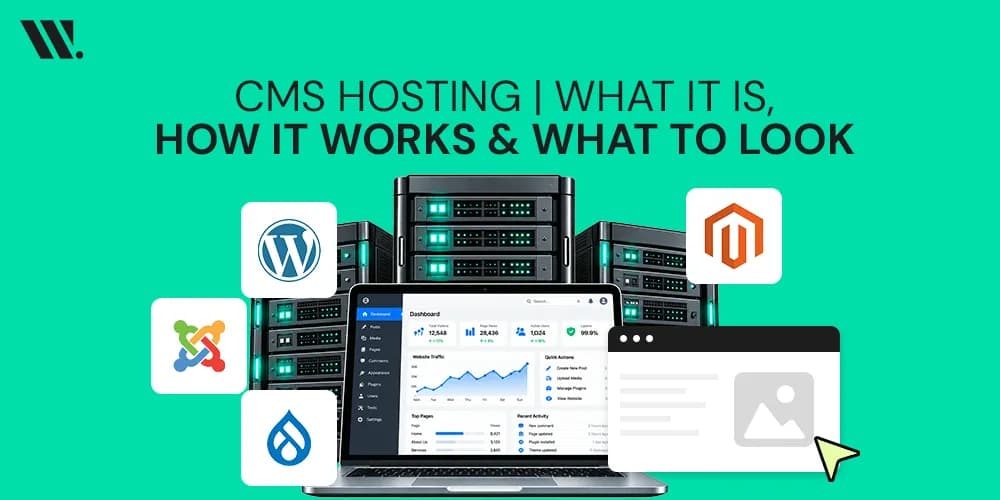
CMS Hosting is web hosting designed for CMS platforms like WordPress, Joomla, Drupal, and Magento
It helps websites load faster, stay secure, and manage traffic better
Managed CMS hosting includes updates, backups, security, and technical maintenance
Unmanaged hosting gives full control but requires technical knowledge
Features like caching, CDN (Content Delivery Network), and database optimization improve website speed
Cloud solutions help websites handle traffic fluctuations more smoothly
Poor hosting can slow down even a well-designed website
Different CMS platforms need different levels of server resources
Security and performance optimization matter more in 2026 because websites handle more traffic and data than before
Running a website in 2026 is a lot like running an old phone.
You can still use one, but if it freezes every few minutes, loads slowly, and crashes during important moments, nobody enjoys the experience. Websites work the same way.
Millions of websites use CMS platforms like WordPress, Joomla, Drupal, and Magento because they make building and managing websites easier without needing advanced coding skills.
But a CMS alone is not enough.
The hosting behind it affects website speed, stability, security, traffic handling, and how smoothly everything works for visitors.
What is a CMS?
A Content Management System is software that lets you build and manage a website without touching a single line of code (unless you want to). You can create blog posts, upload images, update products, manage users, and edit pages from a dashboard.
Popular CMS platforms include:
CMS Platform | Common Use |
WordPress | Blogs, business websites, portfolios |
Joomla | Community and content-heavy websites |
Drupal | Enterprise and government websites |
Magento | Ecommerce stores |
Each CMS works differently, but all of them need hosting to stay online.
What is CMS Hosting?
CMS hosting is simply the service that keeps your CMS-powered website live on the internet. Your CMS, say WordPress, is software. It needs somewhere to live, somewhere to store your files, images, databases, and pages. That "somewhere" is a hosting server.
Consider CMS as a restaurant and your hosting as the building it operates from. The food and the staff (your content and CMS) can be world-class, but without the building (hosting), there is no place to serve anyone.
When someone types your website address into a browser, the hosting server responds and delivers your website to their screen. CMS hosting specifically refers to server environments optimized to run CMS software smoothly, with the right configurations, databases, and resources already in place.

Why CMS Hosting Became So Popular
A few years ago, many people used basic shared hosting for everything. It was cheap, but performance problems were common. Now websites are heavier. Pages contain videos, animations, plugins, ecommerce tools, forms, and real-time features. That needs stronger hosting. At the same time, website visitors became less patient.
If a page takes too long to load, people leave. Search engines also pay attention to performance optimization when ranking websites. This is why CMS Hosting became important.
Modern hosting environments now include:
Advanced caching
Built-in CDN (Content Delivery Network)
Better server resources
Faster storage systems
Automatic updates
Database optimization tools
Security monitoring
How Does CMS Hosting Actually Work?
Here is what happens every time someone visits your website. It is simpler than it sounds.
Your hosting provider stores your website files on a physical or virtual server. When a visitor opens your site, a request goes to that server. The server then pulls your content from the database, processes it through the CMS, and sends it back to the visitor's browser, all in a matter of milliseconds.
Several moving parts make this work:
Server Resources - RAM, CPU, and storage are what power your site. More resources mean your site can handle more visitors without slowing down. A shared hosting plan splits these among many websites, while a dedicated or VPS plan gives your site its own space.
Database - Your CMS stores content, users, settings, and pages in a database (usually MySQL). Every time a page loads, the server reads from this database. Good database optimization keeps this fast and reliable.
Caching - Instead of rebuilding every page from scratch on each visit, caching saves a ready version of your pages. This cuts down server load and makes your site feel faster to visitors.
CDN (Content Delivery Network) - A CDN is a network of servers spread across different countries. When it is connected to your CMS, your site's static content, images, scripts, and stylesheets get stored on the nearest server to each visitor. So if someone in Dubai visits your site hosted in London, they get content from a server much closer to them. Faster loading, every time.
Types of CMS Hosting
Not all hosting is the same, and picking the wrong type is one of the most common mistakes people make when starting out. The main types you will come across are shared hosting, VPS hosting, dedicated hosting, and cloud hosting. Each one works differently and fits different needs.
Hosting Type | Best For | Control Level | Technical Effort |
Shared Hosting | Beginners, small sites | Low | Low |
VPS Hosting | Growing sites, developers | Medium | Medium |
Dedicated Hosting | Large businesses, high traffic | High | High |
Cloud Hosting | Scalable, variable traffic | Medium-High | Medium |
Shared hosting puts your website on the same server as hundreds of others. It is the cheapest option, but if another site on that server gets a traffic spike, yours can slow down too.
VPS (Virtual Private Server) hosting gives your site a dedicated portion of a server. You get more resources and control, and other websites on the same machine do not affect you.
Dedicated hosting means the entire server is yours. Maximum performance, maximum cost. This is for high-traffic websites that cannot afford downtime.
Cloud hosting uses a network of servers instead of one. If one server has an issue, another picks up the load. It scales easily when traffic grows, which makes it a smart pick for websites that see unpredictable visitor spikes.
Self-Hosted vs. Managed CMS Hosting
This is the question most people hit at some point. Both have their place; the right answer depends on your situation.
With self-hosted CMS hosting, you pick your own hosting provider, install the CMS, and manage everything yourself, including updates, backups, security, and performance. You get full control. You can customize anything, own all your data, and use any plugin or integration you like. But it requires technical expertise for maintenance and updates, and any downtime is your problem to solve.
With managed CMS hosting, the hosting provider takes care of all the background work. You might have slightly less flexibility, but you get time, stability, and peace of mind. If you are running a business and your core job is not managing servers, managed hosting is worth the extra cost.
A quick way to decide:
Need full control and have technical skills? → Self-hosted
Want to focus on your content and business? → Managed CMS hosting
Just starting out on a tight budget? → Shared hosting with a good provider
What to Look for in a CMS Hosting Provider
Picking a web hosting provider is not just about price. A cheap plan that crashes every other week costs you more in lost visitors and credibility than a slightly pricier, reliable one ever would.
Here are the things that actually matter when comparing providers:
Uptime guarantee - Look for 99.9% uptime or higher. This is the percentage of time your site is online.
Server speed and location - The closer the server is to your audience, the faster the load times. CDN support makes this less critical, but server location still matters.
Security features - SSL certificates, firewalls, malware scanning, and DDoS protection are not optional in 2026. They are standard expectations.
Automatic backups - If something goes wrong, you want a recent backup ready to restore.
Scalability - Can the plan grow with you? Switching hosts when your site outgrows a plan is painful. Pick one that offers room to scale.
CMS compatibility - Not every host is optimized for every CMS. If you are on WordPress, look for WordPress-optimized hosting. Same for Joomla, Drupal, or Magento.
Support quality - proactive support matters. When something breaks at 2 AM (and it will), you want someone to answer.
Does Hosting Affect Your Website's Performance?
Yes, more than most people realize. Your CMS can be perfectly built, but bad hosting will undo all that work. Page load speed directly affects how long visitors stay on your site and how well it ranks on search engines.
A CDN helps by delivering content from a server closest to each visitor, cutting down the distance data travels. Caching saves a ready version of your pages so the server does not rebuild them from scratch on every visit. Database optimization keeps content retrieval fast. All three work together, and all three depend on your hosting environment supporting them properly.
A slow website is not just annoying. It loses visitors. And fewer visitors means fewer leads, fewer sales, less everything.

Popular CMS Platforms and What Hosting They Perform Best On
Different CMS platforms have different hosting requirements, and it helps to know this before you commit.
WordPress is the most flexible and widely supported CMS. Almost every hosting provider supports it, and many offer one-click WordPress installation. Recommended hosting: any provider with PHP 8.1+, MySQL, and SSD storage.
Joomla has similar requirements to WordPress. It runs well on shared hosting for smaller sites, but benefits from VPS or cloud hosting as traffic grows.
Drupal is more resource-intensive and works best on VPS or dedicated hosting. It is used by larger organizations and government sites that need high security and customization.
Magento (now Adobe Commerce) is the heaviest of the popular CMS platforms. It needs dedicated resources, RAM of at least 2GB, SSD storage, and a properly configured server environment. Shared hosting is almost never enough for Magento.

Common CMS Hosting Mistakes
Many website owners run into problems because of simple hosting mistakes.
Some of the most common ones include:
Choosing hosting only because it is cheap
Ignoring backups
Using outdated plugins
Skipping security updates
Overloading shared hosting plans
Using too many heavy plugins
Ignoring caching and CDN setup
Most hosting problems appear later when traffic increases or the website becomes larger. Planning properly early on saves a lot of stress later.
Final Thought
CMS hosting is not complicated once you break it down. Your CMS is the tool. Hosting is the engine that runs it. Get the engine wrong, and it does not matter how good your content is; the site will struggle.
Fortunately, you do not have to figure all of this out alone. At Websouls, we work with people at every stage, whether you are setting up your first WordPress site or moving a large Drupal or Magento project to a better infrastructure. If you are stuck on which hosting type fits your CMS, or you are not sure why your current setup is underperforming, we are here to help you work through it, no pressure, just guidance. Sometimes you just need someone who has seen it all before to point you in the right direction.
FAQs for Content Management System (CMS)
Q: Can I move my CMS to a different host later?
Yes, you can migrate any CMS to another host. It involves moving files, databases, and updating DNS, and most hosts offer tools or support to make it easy.
Q: Do all CMS platforms need the same hosting requirements?
No, requirements vary by CMS. WordPress and Joomla run on basic plans, while Drupal needs more resources, and Magento usually requires VPS or dedicated hosting.
Q: What is the difference between a domain and hosting?
A domain is your website address, while hosting stores your website files. Both are required together for a website to work.
Q: How much storage does a CMS website actually need?
Small blogs or business sites need under 5GB. Larger stores or media-heavy sites need much more, depending on images, products, and content.
Q: What does uptime mean, and why does it matter?
Uptime is how often your site stays online. 99.9% uptime is standard; lower uptime means more downtime, lost visitors, and weaker trust.
Q: Does hosting affect SEO?
Yes, hosting impacts speed, uptime, and server location. All of these affect rankings, since faster and more stable websites perform better in Google search.