
Key Takeaways
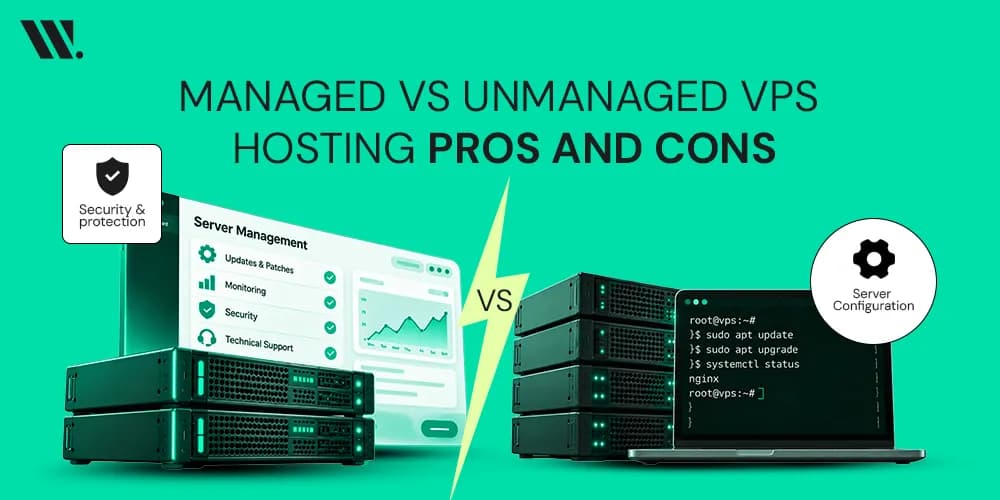
Managed VPS hosting includes server management, updates, monitoring, and technical support from the hosting provider.
Unmanaged VPS hosting gives full root access and complete control, but you handle everything yourself.
Managed plans work best for beginners, small businesses, and website owners who want less technical work.
Unmanaged plans are better for developers and system administrators who need advanced customization.
Managed hosting costs more because support and maintenance are included.
Unmanaged hosting is usually cheaper but requires strong IT expertise.
Both options can offer excellent uptime, scalability, and website performance when configured properly.
The right choice depends on your budget, technical skills, and business goals.
If you have ever tried to pick a web hosting plan and ended up more confused than when you started, you are not alone. The moment you move past shared hosting, the choices multiply fast. VPS hosting sits right in the middle of the road, more power than shared, cheaper than a dedicated server, but then comes the next question: managed or unmanaged? And honestly, this is where most people get stuck.
Both offer more power, flexibility, and control than shared hosting, but they serve very different needs. Choosing the wrong one can lead to unnecessary costs, security risks, or hours spent managing servers.
In this guide, we'll discuss the differences between managed and unmanaged VPS hosting, their pros and cons, and how to choose the right option for your website or business.
What is VPS Hosting?
A virtual private server, or VPS, is a virtual machine that lives on a physical server but behaves like its own dedicated environment. You get a fixed chunk of CPU, RAM, and storage that is yours alone, unlike shared hosting, where everyone on the same server competes for the same resources.
To understand better what VPS hosting is, consider a VPS like an apartment building. The building represents one physical server, but each apartment has its own walls, utilities, and front door. What happens inside your apartment does not affect your neighbours, and what they do does not affect you.
VPS hosting comes in two main types:
Managed VPS Hosting
Unmanaged VPS Hosting
There is also a middle ground sometimes called semi-managed, but the core choice you will face is almost always between the two main ones. Each type serves a different purpose depending on how much control and support you need.
Overview of VPS Hosting Types
Before comparing both options side by side, it helps to understand what each one actually looks like in daily use.
What is Managed VPS Hosting?
Managed VPS hosting means the hosting company takes care of most server-related tasks for you.
This usually includes server maintenance, security patches, monitoring, backups, software updates, and technical support. Many providers also help with server setup, migrations, troubleshooting, and control panel management through tools like cPanel or Plesk.
Suppose you own an online store. Instead of spending weekends updating your Windows or Linux server, fixing security issues, or checking logs, your hosting team handles those tasks while you focus on sales and customers.
For example, if a critical security update is released for your server operating system, the hosting provider usually applies it for you. If your website crashes at midnight, support teams can investigate the issue.
Managed VPS is often recommended for:
Beginners
Small Businesses
Agencies
Ecommerce stores
Business websites
Growing startups

What is Unmanaged VPS Hosting?
Unmanaged VPS hosting gives you the server and the resources, but the responsibility stays with you.
You receive root access and full control over server configuration. The hosting provider maintains the physical infrastructure, network, and hardware. Everything inside your VPS environment becomes your job.
That includes:
Operating system installation
Security configuration
Backup Systems
Software updates
Performance Optimization
Firewall setup
Monitoring
For example, a developer running multiple applications may prefer unmanaged hosting because they can customize every part of the environment. They can install specific software versions, adjust server settings, and create custom workflows without restrictions.
Unmanaged VPS is commonly used by:
Developers
System Administrators
DevOps teams
SaaS companies
Advanced users
Organizations with in-house IT teams

Managed VPS vs Unmanaged VPS
Managed and unmanaged VPS hosting may use the same server technology, but the experience is very different. One focuses on convenience and support, while the other focuses on control and flexibility. The table below highlights the main differences so you can quickly see which option fits your needs.
Feature | Managed VPS | Unmanaged VPS |
Server Management | Provider handles it | User handles it |
Root Access | Sometimes limited or monitored | Full access |
Technical Support | Extensive support | Infrastructure support only |
Security Patches | Managed by the provider | User responsibility |
Backup Systems | Usually included | Usually self-managed |
Hosting Cost | Higher | Lower |
Customization | Moderate | Maximum |
IT Expertise Needed | Low to medium | High |
Server Maintenance | Included | Self-managed |
Setup Time | Faster | Depends on user skills |
Server Management
With managed VPS hosting, the provider takes care of updates, monitoring, troubleshooting, and routine maintenance tasks.
In an unmanaged VPS, you are responsible for managing the server environment and keeping everything running properly.
Root Access
Managed VPS plans may offer root access, but some providers place restrictions to protect server stability.
Unmanaged VPS hosting gives full root access, allowing complete control over software installation and server settings.
Technical Support
Managed VPS includes technical assistance for server-related issues, updates, and performance concerns.
Unmanaged VPS support is usually limited to hardware, network connectivity, and infrastructure-related problems.
Security Patches
In a managed environment, security updates are typically applied by the hosting provider.
With unmanaged VPS hosting, you must track vulnerabilities and install patches yourself to keep the server secure.
Backup Systems
Most managed VPS plans include automated backups and recovery options as part of the service.
In unmanaged hosting, backup creation, scheduling, testing, and restoration are usually your responsibility.
Hosting Cost
Managed VPS hosting costs more because server management and support services are included.
Unmanaged VPS plans are generally more affordable since the provider handles fewer day-to-day tasks.
Customization
Managed hosting offers a balance between flexibility and stability, with some limitations on advanced changes.
Unmanaged VPS allows complete customization of the operating system, software stack, and server configuration.
IT Expertise Needed
Managed VPS is suitable for users with limited technical knowledge because many server tasks are handled by the provider.
Unmanaged hosting requires strong server administration skills and ongoing technical involvement.
Server Maintenance
With managed VPS hosting, routine maintenance such as software updates, monitoring, and optimization is usually included.
In unmanaged environments, these tasks must be performed by the server owner or internal IT team.
Setup Time
Managed VPS servers are often ready to use quickly because much of the configuration is handled by the provider.
An unmanaged VPS setup can take longer depending on your experience and the complexity of the environment you want to build.
Pros and Cons of Managed and Unmanaged VPS Hosting
Every VPS hosting option has advantages and trade-offs. The best choice depends on how much time and technical knowledge you can invest.
VPS Type | Pros | Cons |
Managed VPS Hosting | Less technical work Faster setup process Professional technical support Automatic security patches Built-in backup systems Ideal for business owners and beginners | Higher hosting cost Less freedom for advanced configurations Some restrictions on server-level access Fewer customization options Premium features may cost extra Not ideal for experimental environments |
Unmanaged VPS Hosting | Full root access Maximum customization Lower monthly cost Complete server configuration control Ideal for custom applications Flexible development environment | Requires strong technical expertise No server-level support Security management is your responsibility Updates must be handled manually Backup systems require setup More time needed for maintenance |
Which VPS Should You Choose?
The answer to why you should choose VPS hosting depends on your goals, workload, and technical experience. Many people automatically choose the cheaper option and later discover they spend more time managing servers than running their business. Others pay for management they never actually use. I usually recommend looking at the time investment first and the pricing second.
Choose Managed VPS if You:
If your focus is growing a business, publishing content, running an online store, or managing client projects, managed hosting often makes life easier.
Choose managed VPS when:
You are new to VPS hosting
You don't want to manage servers daily
Your team lacks IT expertise
You need reliable technical support
Security and uptime are business priorities
You want automatic server maintenance
You prefer using cPanel or Plesk with support
Choose Unmanaged VPS if You:
If you enjoy working with servers, command lines, and advanced configurations, unmanaged hosting gives much more freedom.
Choose an unmanaged VPS when:
You have server administration experience
You need full root access
You manage custom software stacks
You want maximum customization
Your team includes developers or system administrators
You can handle security patches and updates
You want lower hosting expenses
Common Mistakes People Make When Choosing a VPS
A lot of website owners end up upgrading twice because they pick a plan based only on price.
Some mistakes I often see include:
Choosing unmanaged hosting without server experience
Ignoring backup systems
Underestimating security patches
Buying more resources than needed
Overlooking scalability options
Focusing only on the monthly cost
Not checking support availability
Selecting a Windows Server when applications require Linux Server environments
A VPS should support your project, not create extra work every day.

Final Thoughts
There is no one-size-fits-all answer when choosing between managed and unmanaged VPS hosting. The right option depends on your technical skills, budget, and how much time you want to spend managing a server.
If you want a hands-off experience with expert support, managed VPS is the better choice. If you need maximum control and have the technical expertise to manage a server yourself, an unmanaged VPS offers greater flexibility.
Need Help Choosing a VPS?
If you're not sure which VPS hosting plan fits your project, reach out and discuss your VPS hosting requirements. A quick conversation can often save weeks of trial and error and help you choose a hosting environment that delivers better performance, security, uptime, and long-term value.
FAQs for Managed vs Unmanaged VPS Hosting
What is the main difference between managed and unmanaged VPS hosting?
The main difference is VPS server management. Managed VPS hosting includes server maintenance, updates, security patches, backups, and technical support from the hosting provider. Unmanaged VPS gives you full control, but you are responsible for managing the server yourself.
Is managed VPS hosting better for beginners?
Yes. Managed VPS hosting is often the better choice for beginners because the hosting provider handles most technical tasks. This allows you to focus on your website or business instead of server administration.
Are backups included with managed VPS hosting?
Most managed VPS hosting plans include backup systems and recovery options. The exact backup frequency and retention period depend on the hosting provider and selected plan.
Which offers more customization: managed or unmanaged VPS?
Unmanaged VPS offers the highest level of customization. Users can modify server settings, install custom software, and configure the environment according to their specific requirements.
Is VPS hosting better than shared hosting?
For growing websites, VPS hosting usually offers better performance, stronger security, dedicated resources, and improved scalability compared to shared hosting. It also provides greater control over the hosting environment.
Can a VPS improve website performance?
Yes. A VPS provides dedicated resources such as CPU, RAM, and storage, which can improve website performance, reduce latency, and help maintain consistent uptime during traffic increases.